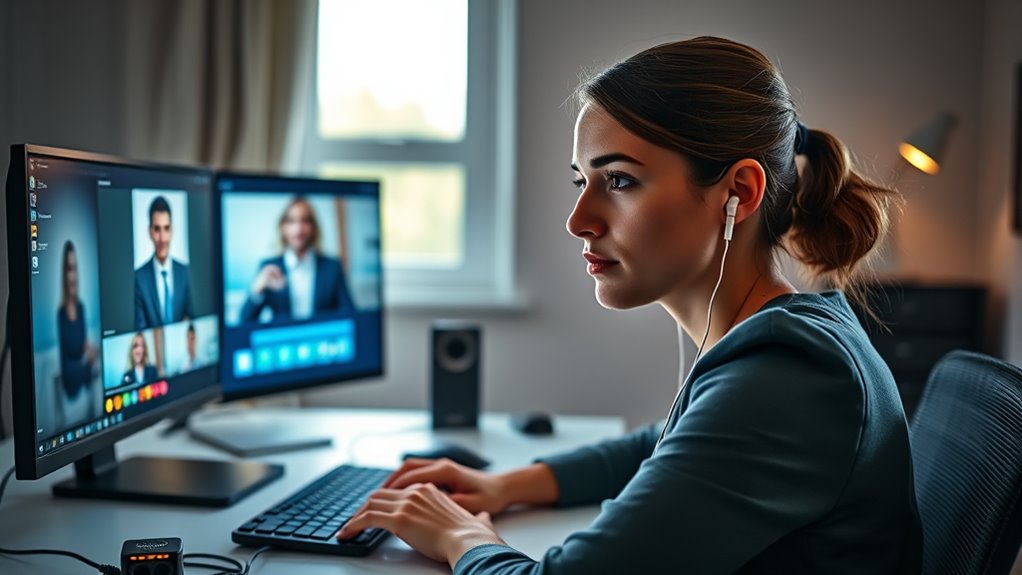

When steering through video interviews, make certain your setup is professional and distraction-free. Use a clean, neat virtual background, position your camera at eye level, and frame your face well. Good lighting is key; face natural light or use a ring light for clarity. Test your audio with headphones and a quality microphone before starting. Address technical issues promptly to stay confident. Keep an organized environment to project seriousness—more tips can help you master the whole process smoothly.
Key Takeaways
- Test all equipment, including camera, microphone, and internet connection, before the interview to identify and resolve issues early.
- Choose a clean, professional virtual background and ensure proper lighting for clear visibility and focus.
- Position your camera at eye level and frame yourself centrally to convey confidence and engagement.
- Use headphones with a microphone to improve audio clarity and reduce background noise or echo.
- Have a backup plan, such as alternative devices or contact info, in case technical difficulties disrupt the interview.

Have you ever wondered how to make a great impression during a video interview? It all begins with your setup. First, you want to pay close attention to your virtual background. A cluttered or distracting background can take the focus away from you and give a poor impression. Instead, opt for a clean, professional virtual background that doesn’t draw attention. Many video conferencing platforms allow you to select or upload a virtual background, so choose one that’s simple, neat, and appropriate for the setting. Avoid overly bright or animated backgrounds that might be distracting. When it comes to your camera setup, it’s essential to position your camera at eye level. This creates a natural and engaging eye contact, which helps convey confidence and sincerity. Use a sturdy stand or stack some books underneath your device to guarantee the camera isn’t tilted or too low. Make sure your face is well-lit; natural light works best, so try to sit facing a window. If natural light isn’t available, consider investing in a ring light or a small desk lamp to illuminate your face evenly. Avoid harsh overhead lighting or backlighting that can create shadows or silhouettes.
Before your interview begins, test your camera setup to confirm everything looks right. Open your video app and check your framing—your face should be centered and occupy about two-thirds of the frame. Guarantee your background appears professional and free of any reflections or clutter. Also, double-check the audio quality, as clear sound is just as vital as good visuals. Use headphones with a microphone if necessary to eliminate background noise and echo. A good camera setup isn’t just about equipment; it’s about creating a composed, professional visual environment that shows you’re prepared and serious about the opportunity. Additionally, understanding the importance of color accuracy can help ensure your appearance looks natural and professional on camera.
Frequently Asked Questions
How Can I Improve My Internet Connection During a Video Interview?
To improve your internet connection during a video interview, guarantee your internet speed is fast enough for smooth streaming. Use a wired Ethernet connection if possible, as it provides more stability than Wi-Fi. If you rely on Wi-Fi, move closer to your router and minimize interference from other devices. Restart your modem and router beforehand to optimize Wi-Fi stability, and close unnecessary programs to reduce bandwidth usage.
What Should I Do if My Camera or Microphone Malfunctions?
When your camera or microphone malfunction, remember that tech issues are only temporary hurdles. First, do quick camera troubleshooting—check connections, restart your device, or switch to a backup camera if available. Test your microphone to make sure it’s working properly. Keep calm and communicate proactively with your interviewer if needed. These small steps turn obstacles into opportunities, showing your problem-solving skills and resilience in the face of unexpected challenges.
How Do I Handle Unexpected Background Distractions Professionally?
When unexpected background distractions occur, manage interruptions calmly and swiftly. Politely acknowledge the distraction if necessary, then briefly explain that you’ll address it promptly. Maintain your composure by focusing on your responses and staying engaged. If possible, mute your microphone or turn off your camera momentarily to manage noise or visual disruptions. These actions show professionalism, helping you stay confident and focused despite the distractions.
What Are Common Technical Issues Faced During Virtual Interviews?
During virtual interviews, you often face technical issues like unstable internet, audio problems, or video lag. To handle this, practice good interview etiquette by testing your equipment beforehand and having a backup plan, such as switching to phone if needed. If problems occur, stay calm, do some quick technical troubleshooting, and inform your interviewer promptly. This shows professionalism and helps keep the interview on track.
How Can I Ensure My Virtual Background Appears Professional?
You want a professional appearance, so start with a clean, clutter-free virtual background setup. Choose a simple, neutral background that doesn’t distract but still looks polished. Test it beforehand to guarantee it displays correctly and adjust your lighting for clarity. The right virtual background creates a seamless impression, making you stand out for your professionalism. Don’t underestimate the power of a well-chosen background—it could be your secret to interview success.
Conclusion
Think of your video interview like steering a boat through choppy waters. When you stay calm, prepared, and adaptable, you’ll navigate smoothly, even when technical waves hit. Remember, 85% of employers say video interviews are just as important as in-person ones. So, keep your equipment steady, stay focused, and trust your skills. With the right mindset, you’ll sail confidently toward your next opportunity, no matter what technical storms come your way.